


If you typed “joincrs com” into Google, you probably landed here for one of two reasons. Either a teacher just put a six-digit code on the board and told you to “go to joincrs com,” or you’re a teacher, IT coordinator, or parent trying to figure out if this site is legitimate before letting kids near it.
Both are fair reasons to be cautious. Random-looking URLs typed into a browser during class time make people nervous, and they should there are plenty of shady lookalike sites in the edtech space that exist purely to harvest clicks or push ads. JoinCRS .com isn’t one of them, but it’s worth understanding exactly what it is rather than taking that on faith.
This guide covers what JoinCRS com actually does, how the login-free code system works, whether it’s genuinely safe for classroom and student use, what it costs (spoiler: nothing, for students), where it falls short, and how it stacks up against tools like Kahoot, Mentimeter, and Pear Deck. No marketing language, no padded filler just what you need to decide if it belongs in your classroom.
What Is JoinCRS com, Exactly?
JoinCRS com is the student-facing entry portal for Classroomscreen, a Netherlands-based digital classroom management platform used by teachers to run live, interactive lessons. It is not a standalone app, a learning management system, and it does not store grades or assignments.
Think of it this way: Classroomscreen is the control panel a teacher uses to build a lesson screen timers, polls, quizzes, random name pickers, noise-level monitors, and roughly two dozen other widgets. JoinCRS. com is simply the door students walk through to interact with whatever the teacher launches. When a teacher enables student participation on a Classroomscreen session, the system generates a short numeric code. Students go to joincrs.com, type in that code (or scan a QR version of it), and they’re immediately connected to the live activity no account, no app download, no password.
If you check the destination directly, joincrs.com actually redirects to join.classroomscreen.com, confirming it’s an official first-party entry point rather than a separate third-party service piggybacking on the Classroomscreen name.
Key Takeaways JoinCRS com
- JoinCRS com is the free, login-free student entry point for Classroomscreen, not a standalone product.
- Students join live sessions using a short code or QR scan no account, no personal data required.
- It’s safe by design (minimal data collection, no ads, HTTPS), but schools should still review Classroomscreen’s official privacy policy for COPPA/FERPA compliance before wide rollout.
- Students never pay anything; only teachers may optionally upgrade to Pro ($3/month or $36/year) for saving and customization features.
- It’s built for live, synchronous classroom participation not grading, assignments, or long-term progress tracking.
Related Post: GlossyWise com: Review 2026 What It Really Is (And Who It’s Actually For)
How JoinCRS com Works, Step by Step
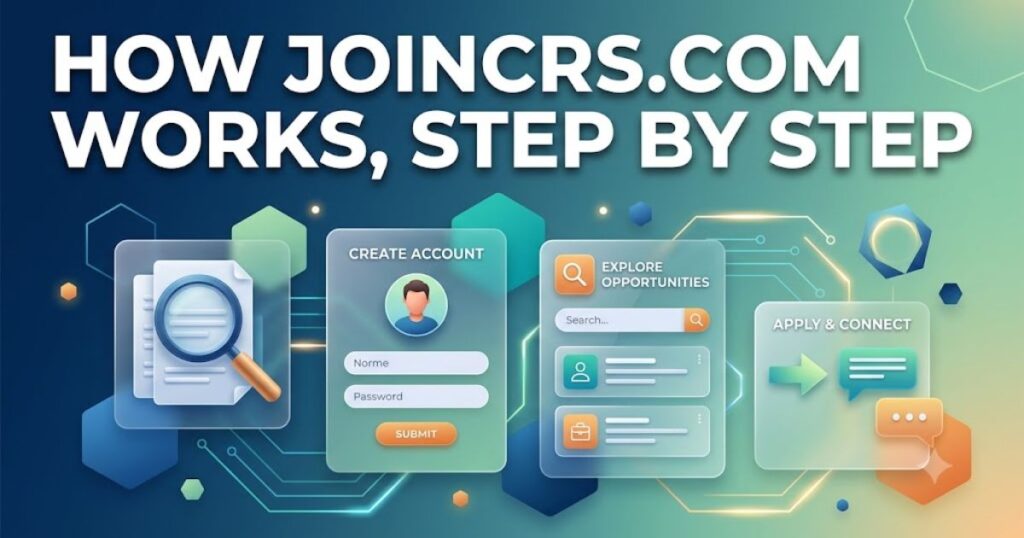
The entire appeal of this tool is that there’s almost nothing to explain. Here’s the full flow:
For the teacher:
- Log in to Classroomscreen and build or open a lesson screen.
- Add an interactive widget a poll, quiz, word cloud, or similar that supports student participation.
- Launch the activity. Classroomscreen generates a unique session code, usually six digits, along with a scannable QR code.
- Share the code on the classroom display or verbally.
For the student:
- Open any browser on any device phone, Chromebook, tablet, or laptop.
- Go to joincrs.com.
- Enter the code (or scan the QR code with a phone camera).
- Participate instantly vote, answer, type a response with no sign-up screen in between.
There’s a common misconception worth clearing up here: people search for a “joincrs com login” expecting a traditional sign-in page. There isn’t one, and that’s intentional. The entire design philosophy is that every extra click between “student picks up device” and “student is participating” is friction that shouldn’t exist in a live classroom setting.
Key Features That Matter
JoinCRS com itself is deliberately minimal a code field and a “join” button. The value lives in what it connects you to on the Classroomscreen side. The features most relevant to whether this is worth using include:
- No account creation for students. This alone removes one of the biggest practical headaches in classroom edtech: forgotten passwords and administrative overhead for younger students.
- Cross-device compatibility. It runs in a browser, so it works identically on a school-issued Chromebook, a personal phone, or a shared classroom tablet.
- QR code entry. Useful for younger students or large groups where typing a code accurately is a bigger obstacle than scanning one.
- Anonymous participation by default. Many activities don’t require a name to be attached to a response, which matters for both privacy and for encouraging honest answers in polls.
- Real-time sync with Classroomscreen widgets. Whatever the teacher launches a poll, a timer-based activity, a quiz updates instantly on the student’s screen.
- Works for any subject and age group. From morning check-ins in elementary classrooms to hybrid university seminars where some students are in the room and others are remote.
Read More: Playing Games Blog PlayBattleSquare: The Complete Guide for Gamers in 2026
Is JoinCRS com Safe for Students?
This is the question that actually brought most people to this page, so it deserves a direct answer rather than a vague reassurance.
By design, JoinCRS com collects very little. Students don’t create accounts, don’t submit email addresses, and in most cases don’t attach their name to a response unless the teacher’s activity specifically asks for one. The connection runs over HTTPS, and the site carries no third-party advertising or pop-ups, which removes one of the more common vectors for malicious redirects on lower-quality classroom tools.
That said, “safe by design” isn’t the same as “zero due diligence required.” A few honest caveats:
- Privacy policy compliance is Classroomscreen’s, not a third-party plugin’s. Since JoinCRS.com is simply the entry point, the actual data-handling terms including how they address COPPA (for children under 13) and FERPA (for U.S. schools) live in Classroomscreen’s own privacy policy. School administrators rolling this out district-wide should read that document directly rather than relying on any summary, including this one, since privacy policies get updated periodically.
- Third-party “safety score” checkers are a mixed bag. You may see automated website-safety tools rate joincrs.com in the mid-range rather than a perfect score. These algorithmic scores are based on domain age, server signals, and traffic patterns not an actual security audit so a moderate score reflects the site being relatively young and low-traffic in scanner databases, not a genuine red flag. It’s still worth cross-checking against your own school’s approved-tools list.
- Code sharing is the real risk, not the platform. Because anyone with the code can join, the practical safety advice is to share codes only within the classroom (verbally or on a projected screen) rather than posting them publicly online, where an outside party could theoretically join a live session.
Net takeaway: for a typical classroom use case, this is a low-risk tool. For district-wide adoption involving younger children, treat it like any other edtech vendor and have your IT or compliance team review the official privacy policy before rollout.
Pricing: What Does JoinCRS com Actually Cost?
Here’s the good news for anyone worried about a hidden paywall: joincrs com itself is completely free for students, with no tiers, no trial period, and no upsell. Students will never see a pricing page.
The cost structure, if any, applies only to the teacher’s Classroomscreen account:
| Plan | Price | What You Get |
|---|---|---|
| Basic | Free forever | All 26+ widgets, remote poll voting, annotation tools, 3 saved name lists, template library access |
| Pro | $3/month ($36 billed annually) | Everything in Basic, plus saving and sharing screens, custom backgrounds, unlimited saved name lists, folder organization, 30-day undo history |
| Organization | Custom quote, volume-discounted per license | Pro features for every teacher in a school or district, centrally managed licensing |
A 14-day free trial of Pro is available if a teacher wants to test the paid features before committing. Basic which includes everything a teacher technically needs to run a live JoinCRS.com session has no time limit and no feature countdown.
Don’t Miss This Article: DreamWithJeff com: Review 2026 What the Site Actually Is (And Why the Internet Can’t Agree)
Pros and Cons
No tool is perfect for every classroom, so here’s a balanced breakdown.
What works well:
- Genuinely zero-friction entry for students this is the standout feature
- No cost barrier for students under any circumstance
- Works across virtually any device with a browser
- Minimal data collection is a real privacy advantage over apps that require student sign-ups
- Simple enough for elementary-age students to use independently
Where it falls short:
- It’s a participation tool, not a learning management system don’t expect grade tracking, assignment history, or long-term student progress data
- Saving and reusing lesson screens requires the paid Pro tier
- Session codes are temporary by nature, so there’s no persistent student dashboard to review past activity
- Heavier customization (themes, backgrounds, folders) is locked behind Pro
- Not built for asynchronous or take-home work it’s designed for live, synchronous sessions only
Common Issues and Quick Fixes
A few practical troubleshooting notes that aren’t always obvious the first time you use it:
- “My code isn’t working.” Codes are session-specific and expire once the teacher closes or refreshes the activity. Double-check the code is current, not from an earlier lesson, and that there’s no typo (0 vs. O and 1 vs. I are common culprits).
- “The page won’t load on a school Chromebook.” This is almost always a network filtering issue rather than a problem with the site itself. If a district firewall blocks unfamiliar domains by default, ask IT to allow-list joincrs.com and classroomscreen.com together, since they operate as one connected system.
- “Students joined but nothing is syncing.” Confirm the teacher actually launched a participation-enabled widget. Some Classroomscreen tools (like the timer) don’t have a student-facing component only widgets like polls, quizzes, and word clouds generate a joinable code.
- QR code scanning fails. Make sure the device’s camera app supports QR recognition natively; on older phones, a separate QR scanner app may be needed.
JoinCRS com vs. Popular Alternatives

If you’re evaluating whether JoinCRS com is the right fit, it helps to see it next to the tools it’s most often compared against.
| Tool | Best For | Student Login Needed? | Free Tier |
|---|---|---|---|
| JoinCRS.com (Classroomscreen) | Live classroom management + light participation | No | Yes, full core features |
| Kahoot! | Game-based quizzes with leaderboards | No (game PIN) | Yes, limited question types |
| Mentimeter | Polls, word clouds, audience Q&A | No | Yes, capped at limited slides/questions |
| Pear Deck | Interactive slide-based lessons inside Google Slides | No | Yes, with feature limits |
| Plickers | Low-tech polling using printed cards (no student device needed) | No | Yes |
The honest distinction: Kahoot and Mentimeter lean harder into gamification and audience engagement for one-off sessions, while JoinCRS com’s parent platform, Classroomscreen, is built to be the teacher’s everyday classroom dashboard timers, visual schedules, and behavior tools with participation features layered on top rather than being the entire product. If your priority is a full-time digital whiteboard replacement, Classroomscreen has an edge. If your priority is purely competitive quiz gamification, Kahoot is arguably more purpose-built for that.
Who Should Actually Use JoinCRS com
- K-12 teachers who want a daily classroom management screen (timers, schedules, sound monitoring) with occasional live polling built in
- Substitute or guest teachers who need something students can join in seconds without setup
- Schools with strict student-data policies where minimal data collection is a priority
- Hybrid or split classrooms where some students are physically present and others join remotely
It’s a weaker fit if you need long-term assignment tracking, gradebook integration, or asynchronous homework tools — those require a full LMS like Google Classroom or Canvas, which JoinCRS.com was never designed to replace.
Frequently Asked Questions
Is JoinCRS com the same thing as Classroomscreen?
Classroomscreen is the full platform teachers use to build and run lessons. JoinCRS.com is only the student-facing portal that connects learners to whatever session the teacher launches.
Do students need to create an account on JoinCRS com?
Students simply enter a session code or scan a QR code. There’s no sign-up, password, or profile involved at any point.
Is JoinCRS com free for students?
Completely. There is no paid tier on the student side. Any potential cost applies only to a teacher’s optional Classroomscreen Pro subscription.
Is JoinCRS com safe for young children?
It’s designed with minimal data collection and no advertising, which makes it lower-risk than many classroom tools. Schools should still verify Classroomscreen’s privacy policy against their own child-safety requirements before district-wide use.
Why isn’t my JoinCRS com code working?
The most common causes are an expired session code, a typo, or the teacher not having launched a participation-enabled widget. Codes reset each time a new activity is started.
Can JoinCRS com be used on a phone?
It works in any modern mobile or desktop browser and requires no app download.
Is JoinCRS com the same as a learning management system like Google Classroom?
It doesn’t store grades, assignments, or long-term student records. It’s strictly a live-session participation tool.
Conclusion
JoinCRS com does one job, and it does it well: get students from “nothing” to “actively participating” in a live lesson in under 30 seconds, with no login friction and minimal data footprint. It’s not trying to be a full learning management system, and comparing it to one misses the point of what it was built for.
For teachers who already use or are considering Classroomscreen as their daily classroom dashboard, JoinCRS com is simply the natural, low-risk way students plug into that experience. For anyone evaluating it purely as a standalone quiz or polling tool, it’s worth comparing against Kahoot or Mentimeter first, since those are more purpose-built for gamified engagement. Either way, the core verdict holds: it’s legitimate, it’s free where it matters most, and the safety fundamentals are sound with the usual caveat that any school should confirm privacy compliance directly before rolling it out at scale.

Team Home Spacess shares simple, practical design ideas that work for real families. The team focuses on cozy décor, soft colors, and natural textures that make a space feel truly lived-in. From everyday decorating tips to creative home projects, Team Home Spacess is dedicated to helping readers create warm, comfortable, and inviting spaces with a fresh and personal touch.