

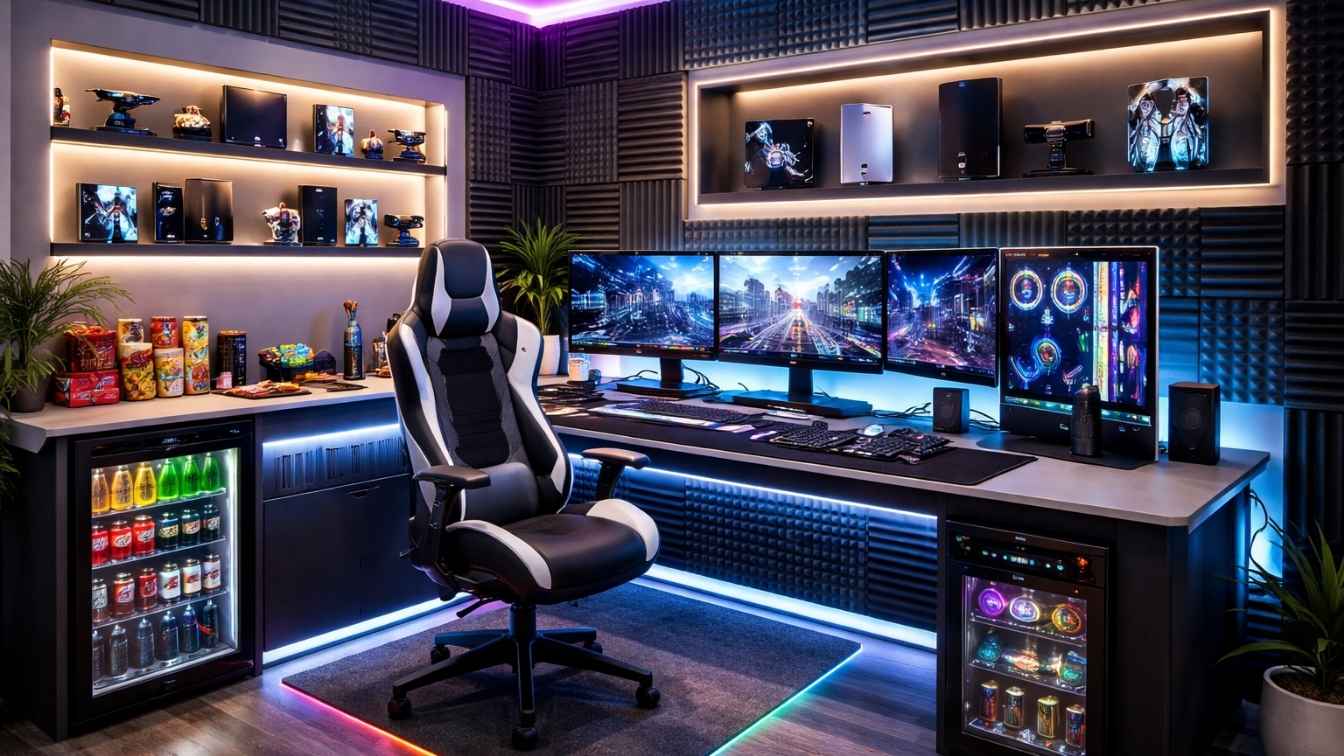
Most gaming setups look the same cluttered desks, mismatched lighting, and cables everywhere. This guide gives you 10 high-impact gaming room ideas with expert insights, real-world tips, and future-proof design thinking that most players completely overlook.
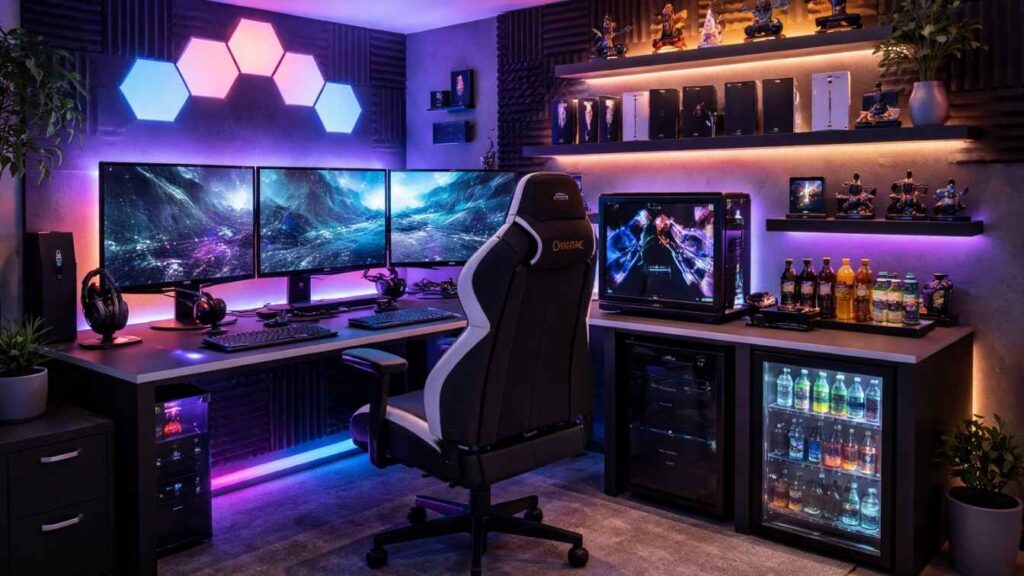
Your gaming room is more than a desk and a chair. It’s your performance environment, your creative space, and increasingly, your professional studio. Whether you’re gaming casually after work, competing at a high level, or building a content creation brand, the physical space around you directly affects how you feel, how long you can play, and how well you perform. Most people settle for “functional.” This guide helps you build something exceptional.
From ergonomic foundations to ambient LED ecosystems, from soundproofed panels to VR-ready floor plans here are 10 gaming room ideas built around real needs, 2026 design trends, and insights you won’t find in a typical setup guide.
Ergonomic Gaming Zone
Build an Ergonomic Gaming Zone That Protects Your Body
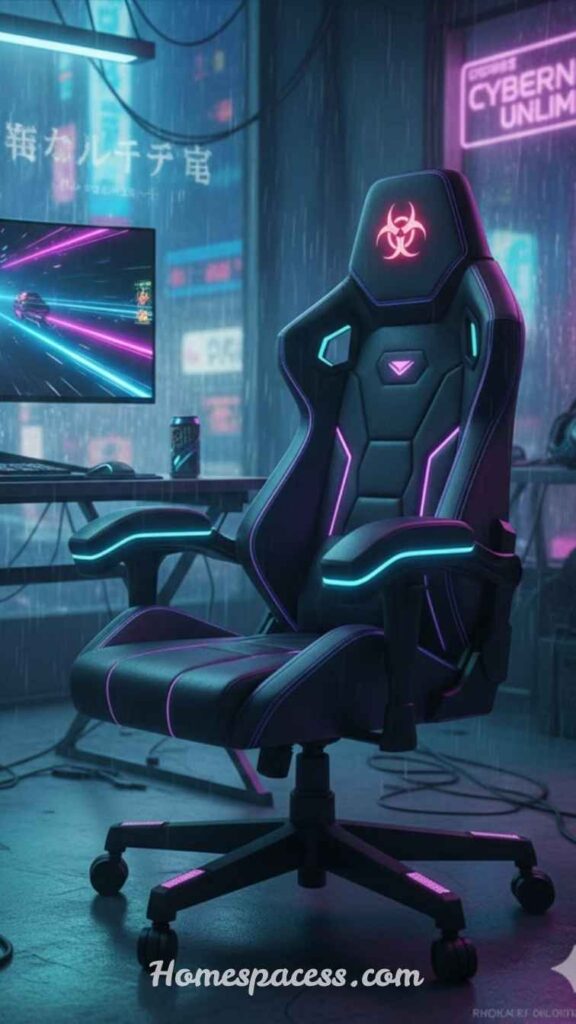
The foundation of any great gaming room isn’t the monitor it’s the chair and desk setup. An ergonomic gaming zone starts with a chair that offers lumbar support, adjustable armrests, and a seat depth suited to your height. Brands like Secretlab, Herman Miller, and Autonomous have made significant advances in gaming ergonomics, and the investment pays off in sessions that last hours without fatigue or back pain. Think of it as sports equipment, not furniture.
Position your monitor so the top edge sits at or slightly below eye level this prevents neck strain during long sessions. The ideal distance is roughly an arm’s length from the screen. Many gamers overlook monitor risers and articulating arms, which offer far more flexibility than a standard flat desk placement. A height-adjustable standing desk lets you shift posture mid-session, which research increasingly links to better focus and reduced musculoskeletal issues.
Pro Insight
A 5-minute posture reset every 90 minutes stand up, stretch, reset your chair position extends comfortable gaming by 2–3 hours and reduces long-term injury risk significantly. Set a timer; make it a habit.
Must Read: Terrace Design Ideas: 10 Expert Ways To Create Your Perfect Outdoor Space
Immersive LED Lighting
Design an Immersive LED Lighting System That Does More Than Look Cool
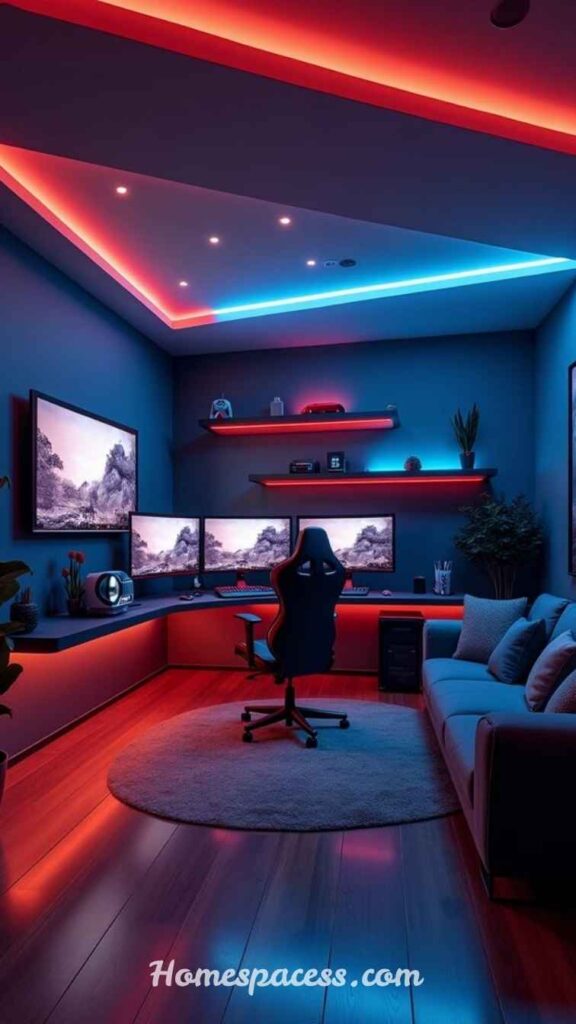
RGB lighting has evolved far beyond decorative gimmick. In 2026, smart LED ecosystems like Govee, Nanoleaf, and Philips Hue Gradient strips are being used strategically to reduce eye strain, improve immersion, and even signal in-game events through real-time API integrations. Bias lighting placing LED strips behind your monitor reduces the contrast difference between screen and background, which meaningfully cuts eye fatigue during extended sessions.
Think of your lighting in three layers: ambient (the overall room mood), task (direct illumination for your workspace), and accent (the RGB glow on shelves, behind panels, and around your battle station). Color temperature matters enormously: cool white (5000–6500K) promotes alertness for competitive play, while warm tones (2700–3000K) signal wind-down time and protect circadian rhythms. Some serious gamers now schedule automatic lighting scenes bright and cool during play hours, transitioning to amber tones an hour before sleep.
Integration is the next frontier.
Platforms like iCUE, Razer Chroma, and SteelSeries GG allow your keyboard, chair lighting, and ambient LEDs to sync with on-screen action. Imagine your room walls flashing red during an explosion or pulsing blue during a rainstorm scene. When lighting design and gameplay merge, immersion reaches a completely different level.
Don’t Skip: Swimming Pool Design Ideas: Expert Concepts That Transform Any Backyard
Multi-Monitor Command Center
Create a Multi-Monitor Command Center for Maximum Screen Real Estate
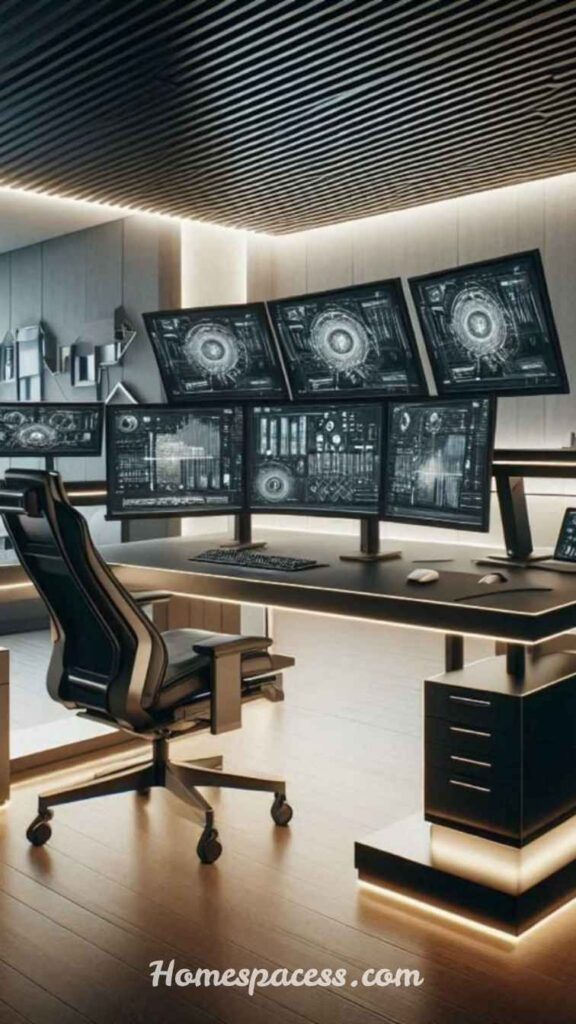
A single monitor setup is a single-lane road. Multi-monitor configurations whether dual 27-inch displays, an ultrawide paired with a vertical monitor, or a three-screen racing cockpit dramatically expand your spatial awareness, multitasking capability, and overall setup aesthetic. For PC gamers, two screens allow simultaneous gameplay and communication, streaming software management, or reference material without alt-tabbing. For content creators, it’s practically a necessity.
The ultrawide monitor trend (34–49 inch curved displays) has matured considerably, offering an immersive alternative to multi-monitor bezels. However, they introduce their own challenge: peripheral fatigue at extreme widths. The sweet spot for most gamers is a 34-inch 1440p ultrawide as the primary screen paired with a 24-inch vertical secondary for Discord, OBS, or social feeds. This combination is increasingly common in professional streamer setups because it balances immersion with practicality.
Overlooked Detail
Matching color profiles across multiple monitors matters more than most people realize. A 15-minute calibration session using free tools like DisplayCAL ensures color consistency critical if you also do creative work or streaming in your gaming room.
Read More: Sun Room Ideas That Turn Dead Space Into Your Home’s Best Room
Soundproofing & Audio Design
Invest in Soundproofing and Acoustic Design for a Better Audio Experience
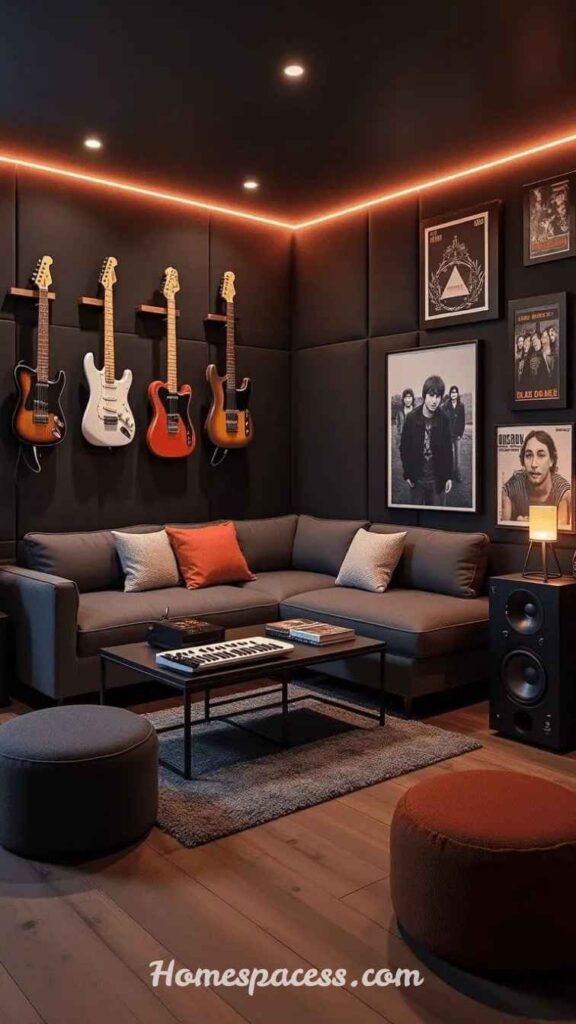
Sound is the most underestimated dimension of gaming room design. Most guides focus on speakers and headsets but the room itself shapes what you hear. Hard walls create echo and reverb, muddying positional audio that’s critical in competitive games like Valorant, Call of Duty, or tactical shooters where footstep direction can mean the difference between winning and losing a round. Acoustic treatment doesn’t mean covering every wall in foam a few strategic placements make a major difference.
Start with corners, which trap bass frequencies. Bass traps installed in room corners reduce the “boomy” quality that makes audio feel muddy. Mid-range acoustic panels on the wall directly behind your monitor and the wall behind you handle flutter echo. Rugs, bookshelves filled with objects, and even couches act as diffusers, scattering sound more naturally. For streamers and content creators, a cardioid microphone paired with a small acoustic panel directly behind and around the mic dramatically improves recording quality without a full vocal booth.
Don’t Miss: Entryway Decor Ideas: Transform Your First Impression Into a Lasting Statement
Console Display Wall
Design a Console Display Wall That’s Both Functional and a Statement Piece
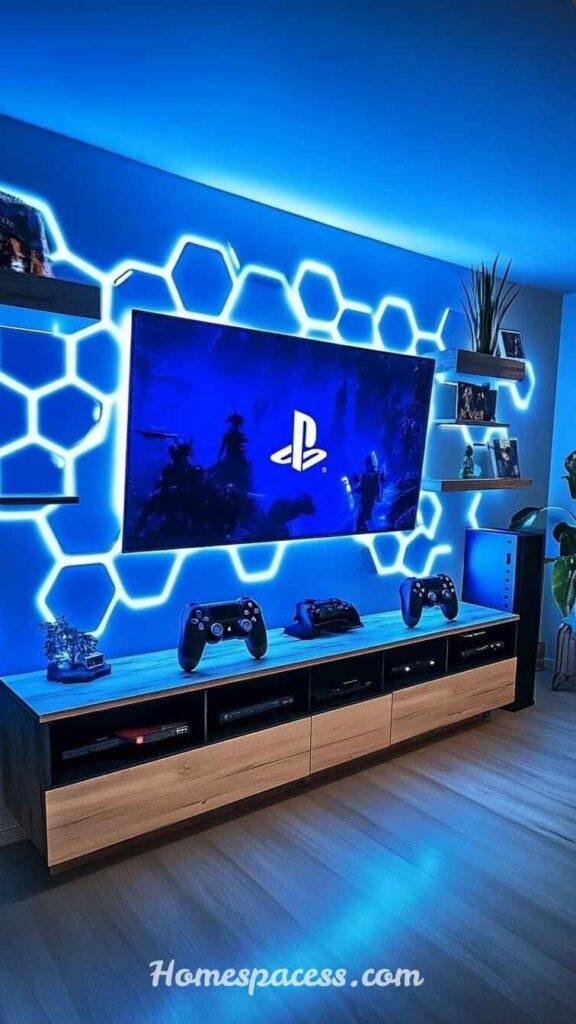
Collectors and multi-platform gamers have turned the console display wall into one of the most visually striking features a gaming room can have. Rather than stacking consoles haphazardly under a TV, a well-designed display wall uses floating shelves with built-in lighting, organized cable management, and intentional spacing to turn hardware into decor. IKEA KALLAX units, custom wall-mounted floating shelves, and dedicated AV furniture from brands like Salamander Designs all work beautifully for this purpose.
The key design principle is visual hierarchy your primary gaming system gets prime placement at eye level with clean cable routing. Retro consoles, collector’s editions, and memorabilia fill the surrounding space. Underlighting each shelf with a low-profile LED strip (ideally warm white or a single accent color) creates depth and draws the eye across the entire wall. This design approach works equally well whether you’re in a small bedroom setup or a dedicated game room.
Streaming-Ready Corner
Build a Streaming-Ready Corner Without a Full Studio Budget
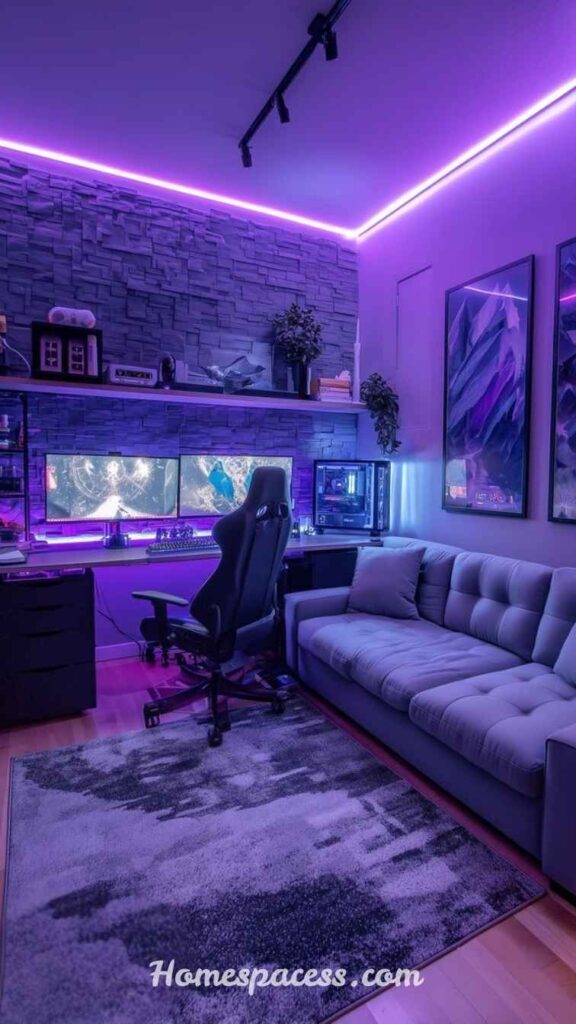
Content creation has become inseparable from gaming culture, and even casual gamers are experimenting with streaming or recording. A streaming-ready corner doesn’t require a Hollywood budget it requires thoughtful layering. The three non-negotiables are controlled lighting (to avoid harsh shadows and color casts), acoustic treatment behind the microphone, and a clean, visually interesting background that communicates personality without distraction.
A key light a soft box or LED panel placed at a 45-degree angle to your face eliminates the flat, washed-out look that built-in webcam lighting creates. A background with depth, like a shelving unit with games, collectibles, and plants arranged in thirds, photographs far better than a blank wall. Many successful streamers use a “hero object” in the background one standout item (a neon sign, a poster, a figurine) that becomes recognizable brand identity over time.
Streaming Tip
A $40 ring light placed behind your monitor creates “eye light” the subtle reflection visible in your pupils on camera that makes you look engaged and present. It’s a cinematography trick most streamers discover years too late.
Mini Fridge & Snack Station
Add a Mini Fridge and Snack Station to Stay Energized Without Interruptions
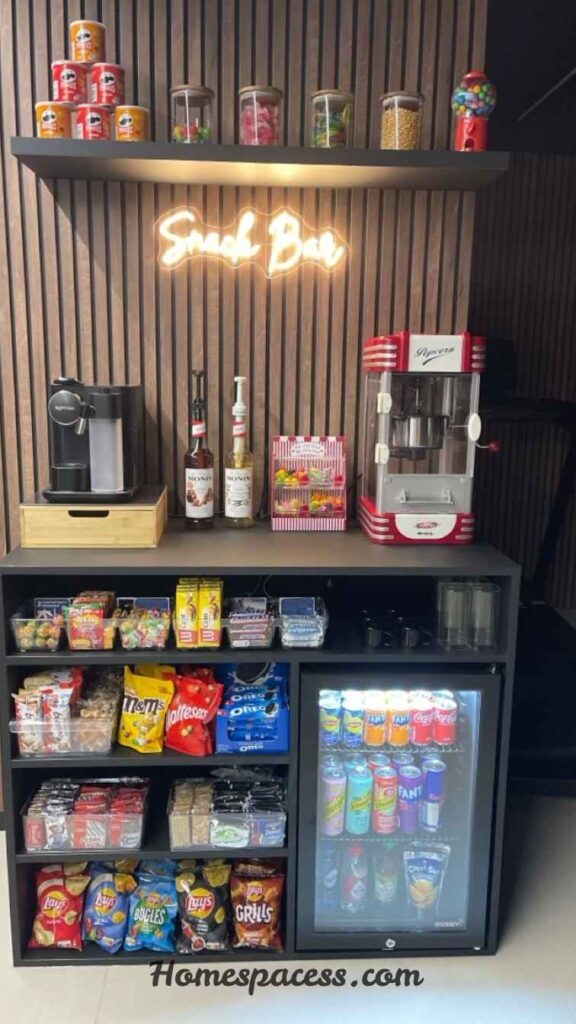
Leaving your setup mid-session to grab water or snacks breaks focus, interrupts flow states, and in competitive gaming, can mean missed opportunities or AFK penalties. A compact gaming room refreshment station a countertop mini fridge, a small organizer with healthy snacks, and a bottle holder built into the desk is one of those quality-of-life upgrades that sounds indulgent until you have it and can’t imagine gaming without it.
The best setups treat the snack station as a deliberate design element, not an afterthought. A 30-liter countertop fridge from brands like Frigidaire or the Midea gaming-specific coolers sits cleanly beside a desk without dominating space. Pair it with a small bamboo organizer for protein bars, nuts, and other long-session fuel. Hydration specifically correlates with cognitive performance studies show even mild dehydration (1–2%) impacts reaction time and decision-making, two things every competitive gamer cares about deeply.
Cable Management System
Master Cable Management to Make Your Setup Look Professional
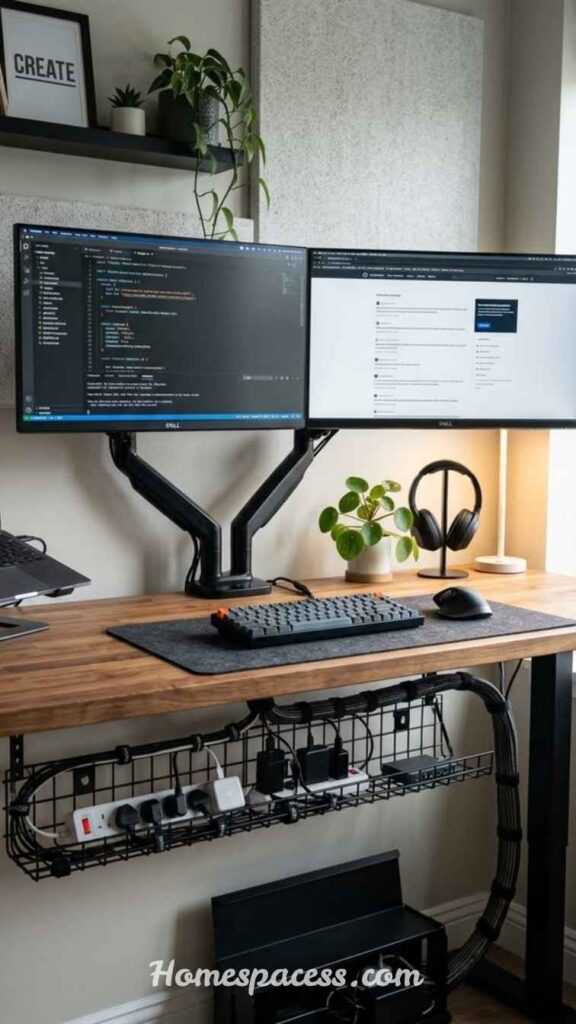
Nothing undermines a carefully designed gaming room faster than a rat’s nest of cables behind the desk. Cable management is one of those tasks that takes a few hours once and pays aesthetic dividends indefinitely. The system starts with a cable tray or raceway mounted beneath the desk, keeping power strips and cable runs off the floor entirely. Cable sleeves group multiple wires into clean single runs, while adhesive cable clips route individual wires along the desk’s underside and back panel.
Velcro ties outperform zip ties for gaming setups because they’re reusable you will upgrade components, reroute cables, and reconfigure your desk multiple times. A pegboard mounted on the wall beside the desk serves double duty: organizing accessories while routing cables vertically off the desktop surface. The final detail most people overlook is labeling. Simple cable labels prevent the 10-minute diagnostic session every time you need to unplug something in a dark cable cluster.
Retro Gaming Lounge
Create a Retro Gaming Lounge Area for a Dual-Purpose Room
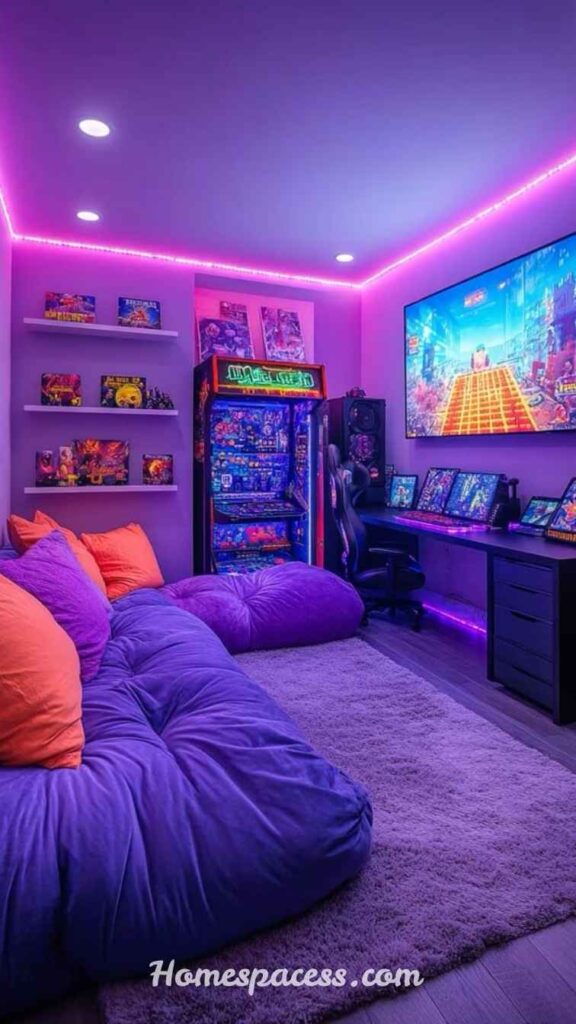
The retro gaming revival has made vintage consoles, arcade cabinets, and CRT televisions legitimate interior design elements. A dedicated retro corner within a larger gaming room creates a dual-purpose social space a high-performance PC battle station on one side, a laid-back retro lounge on the other. This design approach works beautifully in game rooms, basements, and bonus rooms where multiple people might play simultaneously with different preferences.
The aesthetic anchor of a retro gaming lounge is typically a CRT television or a modern flat screen styled to look retro (using a CRT shader filter through Retroarch). Surround it with a low console, floor seating or bean bags, and shelf displays of cartridges organized by color or era. Original hardware like the Super Nintendo, Sega Genesis, or N64 displayed openly rather than stored away gives the space a museum quality that guests invariably find irresistible. A mini arcade cabinet either original or a modern replica serves as the focal point that makes the room uniquely memorable.
VR-Ready Open Space
Design a VR-Ready Open Space for Next-Generation Gaming
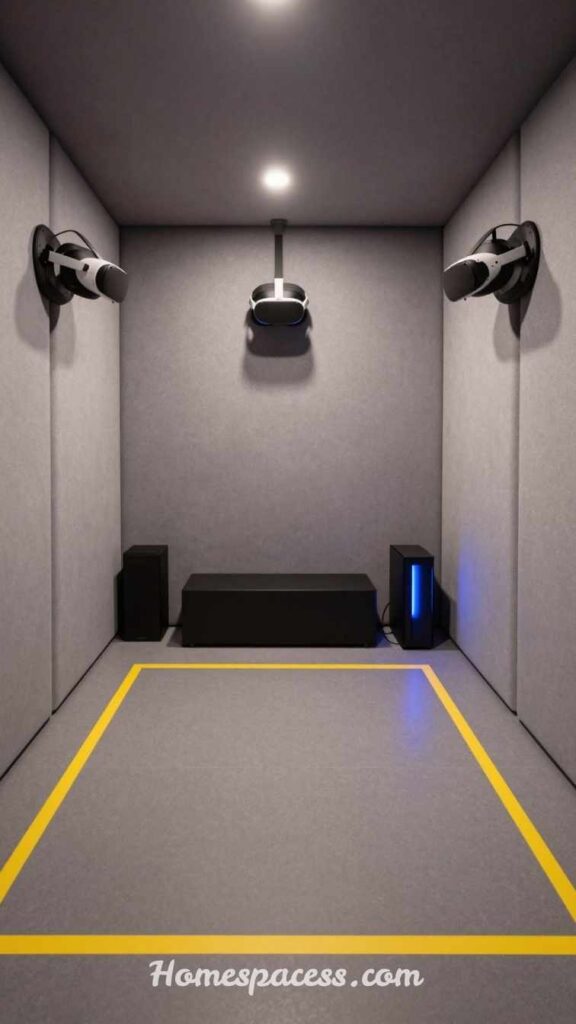
Virtual reality gaming requires something most room designs actively work against: open floor space. A VR-ready gaming room reserves a minimum 2m × 2m clear zone ideally 3m × 3m for room-scale experiences with headsets like the Meta Quest 3, PlayStation VR2, or Valve Index. This means thoughtful furniture placement, wall-mounted storage, and foldable or moveable furniture that can clear the play area quickly. The floor covering also matters: a thick carpet can cause tripping hazards, while a low-pile rug or padded vinyl flooring provides comfort without traction issues.
Wall protection is a practical concern that dedicated VR players learn quickly foam wall padding or impact-absorbing panels at arm height prevent both wall damage and hand injuries during immersive movement. Ceiling-mounted cable solutions for wired VR headsets eliminate the trip hazard of floor cables entirely. As standalone wireless headsets improve in visual fidelity, the VR-ready room will become increasingly common, and designing for it now means the space evolves naturally with the technology rather than requiring a complete overhaul.
Future-Proof Tip
Design your VR zone with overhead lighting on a dimmer switch full brightness for setup and safety, low ambient for immersion. This small design decision will serve you through multiple generations of VR hardware.
Conclusion:
A great gaming room isn’t defined by the most expensive gear it’s built on thoughtful design decisions that compound over time. From the ergonomic foundation under your body to the acoustic treatment surrounding your audio, every layer of your gaming room either supports or undermines your experience. The best gaming room ideas are the ones you actually implement and refine, not the ones that stay in a Pinterest board.
Whether you’re starting from scratch or upgrading an existing setup, pick one idea from this guide and execute it fully before moving to the next. Small, deliberate improvements compound into setups that genuinely transform how you play, create, and compete
Trend Analysis 2026
Gaming Room Trends 2026 and What’s Coming Next
The defining gaming room trend of 2026 is convergence setups are merging gaming, content creation, remote work, and social entertainment into single multipurpose spaces. The rigid separation between “gaming room” and “home office” has largely dissolved. Desks now need to serve for competitive gaming at 144Hz and professional video calls within the same hour. This has driven demand for height-adjustable desks, monitor arms with quick-release, and modular furniture systems that reconfigure in minutes rather than hours.
Spatial audio is having a major resurgence. As game audio design has matured particularly in titles like Hellblade II, Alan Wake 2, and competitive FPS titles with precision positional audio headphone setups have evolved accordingly. Binaural rendering, headphone-specific EQ profiles, and products like the Audeze Maxwell and SteelSeries Arctis Nova Pro have moved audiophile-grade sound into mainstream gaming spaces. Dedicated DAC/amp setups previously found only in hi-fi listening rooms are appearing in gaming setups with increasing frequency.
Looking forward into 2027–2028, the integration of AI room assistants will reshape gaming environments. Imagine a room that recognizes which game you’ve launched and automatically adjusts lighting temperature, speaker profiles, and even seat position presets. Samsung, LG, and several smart home platforms are already building these automation layers the gaming room that adapts to the game, rather than the gamer adapting the room, is closer than most people expect.
Expert Tips
Practical Expert Tips for Optimizing Your Gaming Room
Professional esports players and content creators consistently cite room temperature as an underappreciated performance variable. A room that runs 2–3 degrees warmer than optimal causes measurable increases in reaction time and decision fatigue. If your PC generates significant heat, a small supplemental fan or mini split AC unit pointed at the play area not just the room makes a noticeable difference during long sessions. This insight almost never appears in setup guides, yet temperature management is standard practice in professional esports training facilities.
Floor surface selection beneath your gaming chair affects more than aesthetics. A hard floor (wood, vinyl, or tile) allows free chair movement without resistance, which reduces micro-strain from constantly repositioning. Thick carpet creates resistance that fatigues hip flexors over hours. If you prefer carpet for comfort, a hard chair mat extended to cover the full movement radius of your chair solves this without sacrificing the warmth of a carpeted room. This is one of those ergonomic details physical therapists mention but gaming room guides almost never cover.
Sustainability
Building a Sustainable Gaming Room With Long-Term ROI
A gaming room represents a real investment, and the most expensive mistake is buying cheap equipment twice. The “buy well, buy once” philosophy applies especially to chairs, desks, and monitors the three components you interact with every single session. A $600 ergonomic chair used daily for seven years costs less per hour than three $150 chairs that each last two years. More importantly, the physical cost of a bad chair back pain, physiotherapy, lost productivity dramatically exceeds the purchase price difference. Frame your gaming room investment as infrastructure, not luxury.
Energy efficiency has become a genuine consideration in gaming room design as power costs rise. A modern gaming PC can draw 300–600W under load. Energy-efficient monitors (particularly OLED panels, which consume less power than traditional LCD at typical gaming brightness levels), smart power strips that cut standby draw, and LED lighting (which uses 80% less energy than equivalent incandescent sources) meaningfully reduce both environmental impact and electricity bills. Some gaming room setups now integrate solar power monitoring dashboards an emerging trend among environmentally-conscious gamers that will grow substantially in coming years.
Component longevity is also a sustainability consideration. Modular desk systems, monitor arms that accommodate multiple screen sizes, and cable management solutions designed for reconfiguration extend the useful life of your setup through hardware generations. When your peripherals are designed to be upgraded individually rather than replaced as a system, a gaming room investment made today continues delivering value for a decade. Think of your room design as a chassis the structure persists while components evolve.
Future Innovations
The Future of Gaming Room Design: Innovations to Watch
Spatial computing will fundamentally change what “gaming room” means within the next five years. Apple Vision Pro, Meta’s mixed reality roadmap, and Microsoft’s ongoing investment in HoloLens technology suggest a future where virtual screens replace physical monitors a single headset projecting any number of virtual displays at any size, position, and resolution. The implication for gaming room design is profound: rooms optimized for movement, comfort, and spatial audio rather than screen-focused desk setups may become the dominant paradigm for high-performance gaming.
Haptic feedback room integration is moving from novelty to practical product. Subwoofer platforms (like the Subpac) and haptic gaming chairs (ButtKicker systems, D-BOX) are already available, but coming generations will integrate full-room haptic response floor panels that vibrate with footsteps, walls that transmit bass frequencies from explosions, and localized airflow systems that deliver physical sensation corresponding to in-game wind or temperature. Several gaming hardware companies have announced development pipelines for room-scale haptics. The gaming room of 2030 may engage all five senses simultaneously.
AI-driven personalization will extend to physical environments. Smart gaming chairs are already tracking posture and prompting correction the next generation will adjust lumbar support automatically based on real-time posture data. Lighting systems will adjust not just to game genre but to physiological state, using camera-based stress detection or biometric wearables to shift the environment toward calm during high-intensity moments. The room that actively supports your performance, rather than passively containing it, is the emerging frontier of gaming space design.
Common Mistakes
7 Gaming Room Mistakes Most People Make (And How to Avoid Them)
- Prioritizing aesthetics over ergonomics. A setup that looks incredible on camera but causes neck and back pain within two hours is a failed setup. Build comfort first, style second great ergonomics can be beautiful, but great aesthetics can’t replace proper support.
- Ignoring room acoustics entirely. Hard walls, no rugs, and uncovered glass create harsh reverb that degrades both headset performance and streaming audio quality. Even two acoustic panels and a rug make a dramatic difference.
- Using overhead lighting directly above the desk. Overhead lighting aimed at a screen creates glare and hot spots on the display. Side-angled or rear-positioned lighting eliminates this problem entirely.
- Buying a gaming desk based on size alone. Structural stability at gaming refresh rates matters a wobbly desk transmits micro-vibrations to your mouse surface and monitor. A narrower, solid steel-framed desk outperforms a wide but flimsy one.
- Overlooking internet routing. WiFi dead zones, consumer-grade routers, and unsecured connections cause the latency spikes that undermine competitive play. A wired Ethernet connection from a quality router to your gaming PC is the single highest-return networking upgrade possible.
- Designing with no room to grow. A gaming room with no empty desk space, no cable routing capacity, and no storage expansion options becomes frustrating as your setup evolves. Leave intentional empty space it’s not wasted, it’s future capacity.
- Neglecting ventilation and airflow around PC hardware. Restricted airflow shortens component life and increases thermal throttling especially for GPUs. Position your PC tower with 15–20cm clearance on all sides, and consider the natural airflow direction of your room when choosing placement.

Team Home Spacess shares simple, practical design ideas that work for real families. The team focuses on cozy décor, soft colors, and natural textures that make a space feel truly lived-in. From everyday decorating tips to creative home projects, Team Home Spacess is dedicated to helping readers create warm, comfortable, and inviting spaces with a fresh and personal touch.